
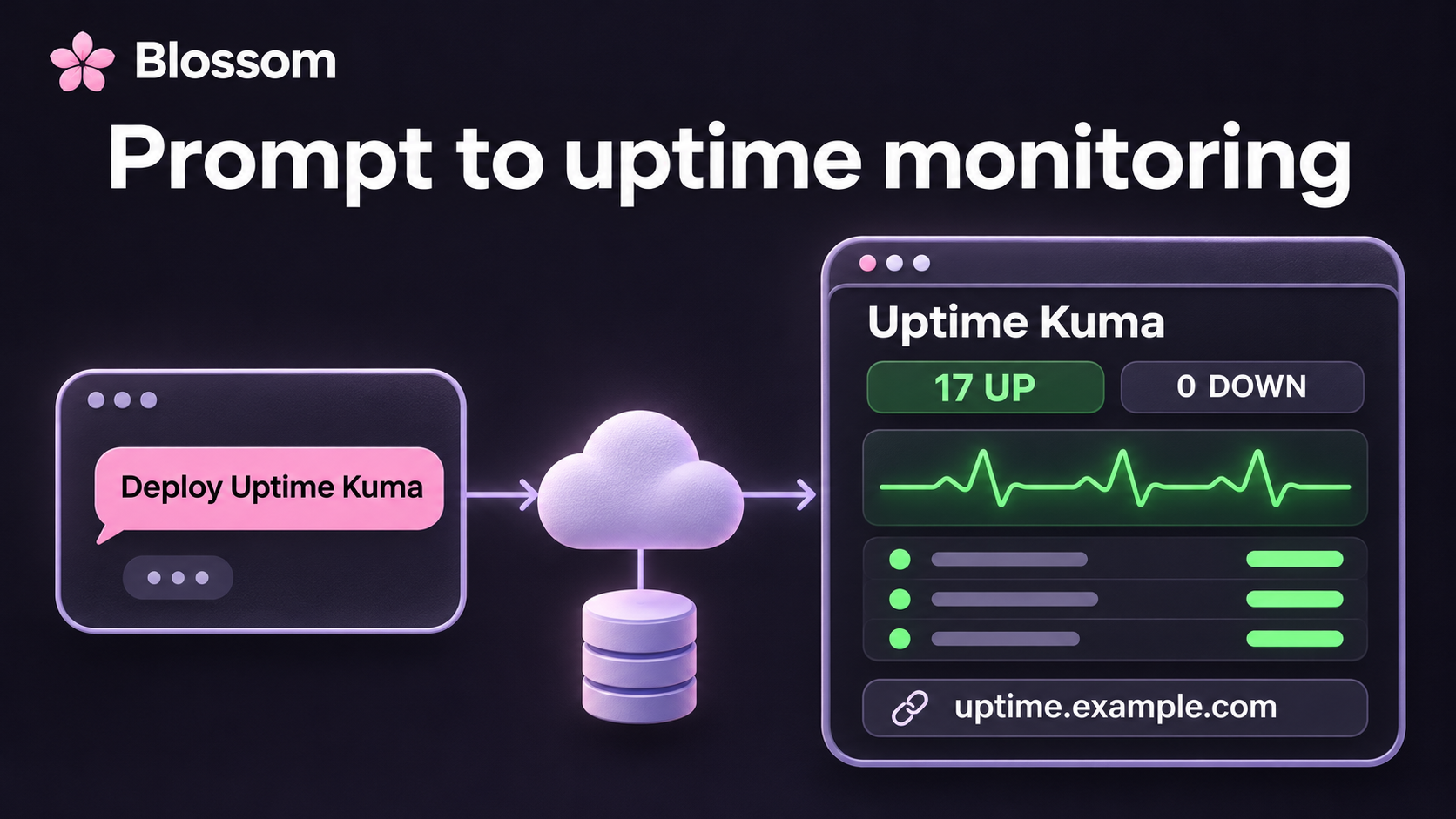

We wanted uptime monitoring for our apps. We already had an inventory of what was running, so we gave our AI agent the Uptime Kuma repository and asked it to deploy the app to our Blossom Account and check the sites that made sense.
The request was straightforward. Here is an example prompt:
Deploy https://github.com/louislam/uptime-kuma on Blossom and help me monitor my apps.
We ended up with a private dashboard on our own domain, 17 HTTPS monitors, and a managed MariaDB database. The app and database fit into compute capacity we were already paying for, so the new recurring cost was about $0.63 a month for storage, plus a small recovery-backup usage charge. We put our existing cloud capacity to work without taking on a dedicated server to administer.
The deployment and results below are real. Domain names such as
uptime.example.com are examples.
The price was a pleasant result. The more interesting part was how we got there: describe the outcome, work through a few decisions in the same conversation, and let the agent carry out the deployment.
How Little We Had to Specify
Our first request did not name a container version, database engine, health check, or DNS record. We started with the app we wanted and the sites we wanted to monitor. The details emerged as we asked questions and reviewed the setup.
That made the work feel quick. We could ask about the database, choose a different setup, then ask for a domain without turning each step into a separate configuration project. The agent kept the context and carried out the changes.
We had a head start: our cloud account was connected, capacity was available, and the agent had access to our app inventory. This is one real deployment, not a timed comparison with other platforms. What impressed us was how little coordination it took to get from a request to useful monitoring.
What the Agent Handled
Blossom gives the agent commands for deploying apps, connecting databases, setting access, adding domains, and following the result in Activity. For this deployment, the agent:
- Confirmed the Account and Location before creating anything.
- Selected Uptime Kuma’s official container image and pinned its digest.
- Configured one web Container with an HTTP health check.
- Connected a Shared MariaDB instance over Blossom’s private networking.
- Restricted the dashboard to our Account members and created the Kuma login.
- Added the custom domain and its DNS record.
- Set up the monitors and checked their first results in the browser.
We supplied the intent and made the decisions. The agent handled the configuration and checked what was actually running.
The Database Decision Happened in the Conversation
The first setup used SQLite on a persistent Volume. That works for Kuma, but it also needed a separate stateful compute allocation in our Account.
We asked whether PostgreSQL could let us use the database capacity we already had. Kuma 2.5.11 supports SQLite and MariaDB, so we chose MariaDB. The agent moved the administrator account, all 17 monitors, settings, and the saved heartbeat history into the new database, then removed the old persistent Service and its Volume.
The final setup was:
| Component | What we run |
|---|---|
| Uptime Kuma | Official 2.5.11 image, pinned by digest |
| Web Service | One Small Container: 0.5 vCPU / 875 MB |
| Database | Shared MariaDB 12, with a 10 GB Volume and managed recovery backups |
| Access | Blossom Account members, then the Kuma administrator login |
| Domain | A custom HTTPS domain, shown here as uptime.example.com |
| Checks | 17 HTTPS monitors, every 60 seconds |
That is a useful part of working with an agent. You can ask a question about the setup, understand the tradeoff, and have it make the change in the same conversation. You still choose what runs in your Account.
A Dashboard That Checks Our Apps
We monitor our public website, application endpoints, documentation, public status page, API health endpoint, and several other internal apps.
Some endpoints intentionally require authentication. Their monitors expect an HTTP 401 response and are labeled as access-gate checks. Those checks tell us the gate is reachable and still asks for authentication; they do not test the private pages behind it.

The result after deployment: all 17 monitors were up.
Once it was running, the next request was simply to add a custom domain. The agent configured the domain, checked HTTPS and the sign-in flow, and made it Kuma’s primary address.
Notifications are the next step. This deployment established the monitoring dashboard and its checks; we have not connected an outbound alert channel yet.
Why the Additional Cost Was About $0.63
This is an example of Blossom BYOC (bring your own cloud) on Hetzner. Our existing App Capacity had room for the web Container. Our existing Shared Data Capacity had room for MariaDB. Adding Kuma therefore required no additional server and no additional recurring Blossom compute charge. This is the beauty of the Blossom capacity model.
The new recurring infrastructure cost was the database Volume:
| Additional resource | Monthly cost in USD, before VAT |
|---|---|
| App compute | No increase; fits existing capacity |
| Database compute | No increase; fits existing capacity |
| Hetzner Volume, 10 GB | About $0.63 |
Hosted recovery backups add a small usage charge. The Hetzner storage rate was €0.0572 per GB-month when checked on November 17, 2026. Dollar estimates use the ECB reference rate for that date: €1 = $1.0989. Hetzner bills in euros.
Our extra compute bill for Kuma was zero. At this storage rate, its 10 GB Volume adds about $7.54 a year, before VAT and recovery-backup usage. We still pay for the existing capacity; a new Account or a full capacity pool also needs compute and Blossom management fees. Use the pricing calculator to include any new capacity your setup needs.
How Other Hosting Options Compare
Here are some published alternatives for running Kuma with persistent data. The distinction between an extra app bill and an Account minimum matters:
| Hosting option | Monthly cost basis |
|---|---|
| Our Blossom BYOC deployment, existing capacity | About $0.63 extra storage, plus recovery-backup usage |
| Render, 512 MB service + 10 GB disk | $9.50: $7 service + $2.50 disk |
| Render, 2 GB service + 10 GB disk | $27.50: $25 service + $2.50 disk |
| Railway Pro, supports a 10 GB Volume | $20 Account minimum, including $20 of usage; more above that |
Render’s published rates are $7 for the 512 MB service, $25 for the 2 GB service, and $0.25 per GB of disk. The Render examples use Kuma’s SQLite option. The smaller service has less RAM than our 875 MB web Container; neither row includes a separate managed MariaDB database. Railway’s plan limits and pricing put a 10 GB Volume on Pro; Hobby has a 5 GB limit. Its minimum applies across the Account, so unused included usage can also absorb an additional app.
These are price examples checked on November 17, 2026, before taxes and additional usage, rather than measured bills for identical deployments. Render and Railway also manage infrastructure. The combination we like is the small incremental bill, managed operations, and running in our own cloud account.
An extra dashboard, webhook service, or internal tool does not automatically need another server. When workloads fit well together, the fixed capacity cost is spread across more useful apps. Those savings can add up across a collection of apps over time. New capacity still costs money when the pool fills up; utilization determines the result.
Our Cloud, Without a Pet Server
A DIY VPS can also run another small app cheaply when it has spare room. With that approach, we would own the server configuration, container supervision, database setup, and backup process.
Here, Blossom handles Container placement, deployments, health checks, private database connections, and managed recovery backups. We get to run Kuma in our own cloud account without turning a dedicated server into another project to maintain.
We still choose the app version, monitor targets, and alert destinations, and own our provider account and billing. For us, the useful combination is low additional cost and less server administration, reached through a simple conversation with our agent.
Try Uptime Kuma on Blossom
Follow the Uptime Kuma deployment guide for the prompts and CLI commands, including the MariaDB connection, custom domain, and monitor setup.
Start with Blossom BYOC to use your own cloud account. The Early Bird offer gives one eligible Organization per owner $20 in monthly BYOC management credit for 12 credit months after billing setup. The activation month counts as the first month; provider bills and hosted services are separate.
Choose Blossom Cloud if you want Blossom to supply the infrastructure. Then bring an app you want to run and tell your agent what you want it to do.